The Aesthetic and Technical Demands of Modern Retail
In the highly competitive arena of online retail, your product photography serves as your digital storefront, your sales representative, and your primary trust signal. Because online shoppers cannot physically touch, feel, or test your inventory, their entire purchasing decision relies on the clarity, consistency, and loading speed of your visual assets. However, managing these assets is a logistical nightmare for most store owners. When you receive a batch of raw product photos back from your photographer, or when you download a zip file from an international dropshipping vendor, those images are almost never ready for immediate upload to platforms like Shopify, WooCommerce, or Amazon.
Raw vendor files are usually massive, multi-megabyte JPEG images with wildly varying aspect ratios. Uploading these unoptimized files directly to your storefront constitutes a critical business error. First, mismatched aspect ratios will cause your main collection grid to look completely broken. Some product cards will appear tall and narrow, while others will be short and wide, creating a jagged, disorganized layout that immediately destroys your brand's premium perception. Second, massive file sizes will drastically slow down your page rendering times. Since mobile users account for the vast majority of modern shopping traffic, forcing a smartphone to download 20 megabytes of imagery just to view a single collection page will cause massive cart abandonment rates. In fact, industry data shows that a mere three-second delay in mobile rendering can drop conversion rates by over fifty percent.
To build a flawless digital storefront that converts browsers into buyers, you must establish a strict visual asset pipeline. By chaining together four essential browser-based utilities - Crop Image, Resize Image, Convert Image, and Compress Image - you can achieve perfect visual standardization and blindingly fast load times. Furthermore, because FlowFix executes this entire pipeline locally within your web browser, you can process unreleased, embargoed product lines without ever risking a leak to an unsecured third-party server.
Phase 1: Precision Cropping and Dimensional Consistency
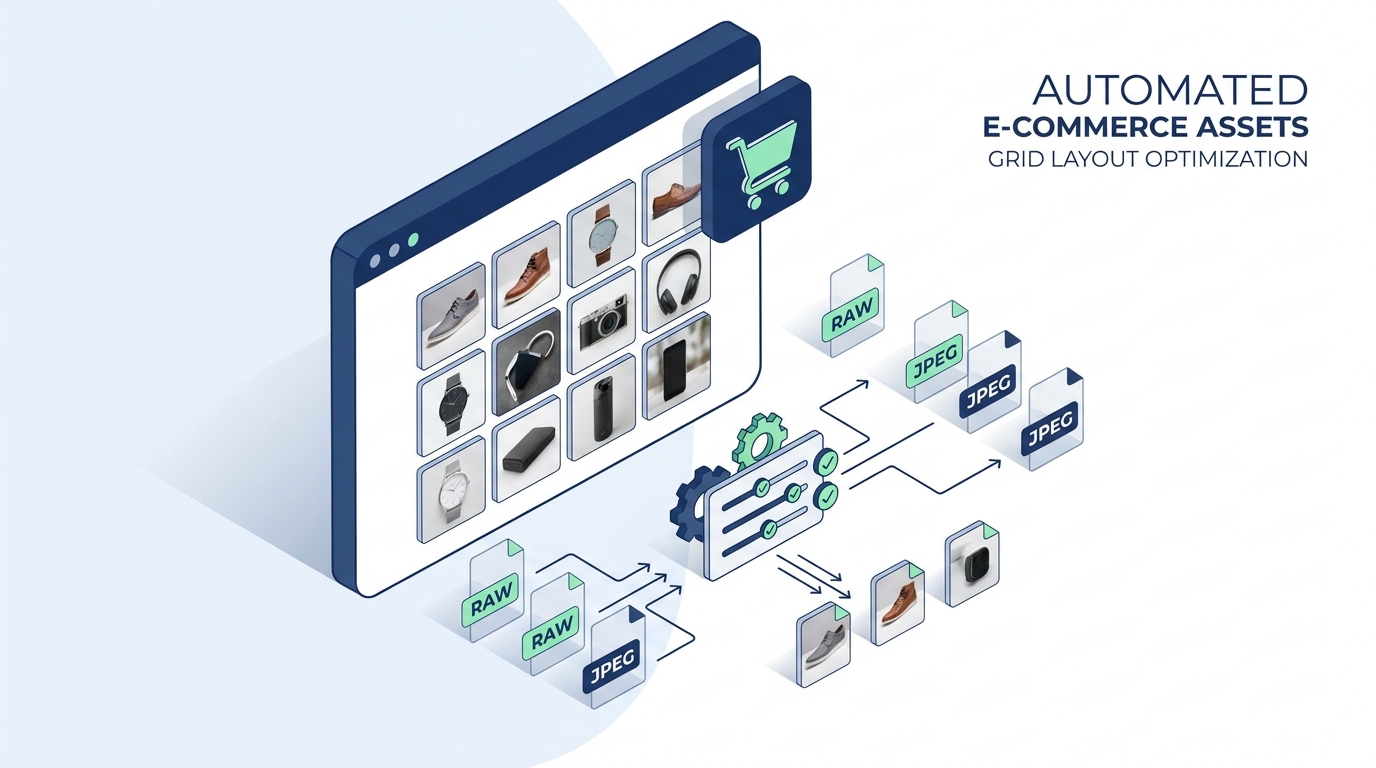
The standardization pipeline must always begin with framing. You might possess a stunning, high-resolution photograph of a new handbag, but if the photographer left too much empty studio background in the shot, the product will look tiny when scaled down to a mobile phone screen. Drop your raw photos into the Crop Image tool. Your primary goal here is twofold. First, trim away the useless negative space so the product fills the frame comfortably, maximizing its visual impact. Second, and most importantly, use the crop tool to enforce a strict, uniform aspect ratio across your entire catalog. If you choose a 1:1 square ratio for your store, every single image must be cropped to that exact proportion. This mathematical consistency is what prevents the 'jagged row' effect and ensures your CSS grid aligns flawlessly.
Once the aspect ratio is locked and the framing is tight, you must standardize the absolute pixel dimensions. Open the Resize Image tool. While your cropped image might now be a perfect square, it could still be 4000x4000 pixels wide. This is massive overkill for a web browser. If you upload a 4000px image, the browser has to use computational power to dynamically scale it down to fit a 300px mobile container, wasting battery life and rendering time. Set your target dimensions to a standard e-commerce size, such as 1200x1200px. This size is large enough to allow customers to use the 'hover to zoom' feature on desktop, but small enough to prevent browser strain.
Phase 2: Next-Gen Formatting and Aggressive Compression
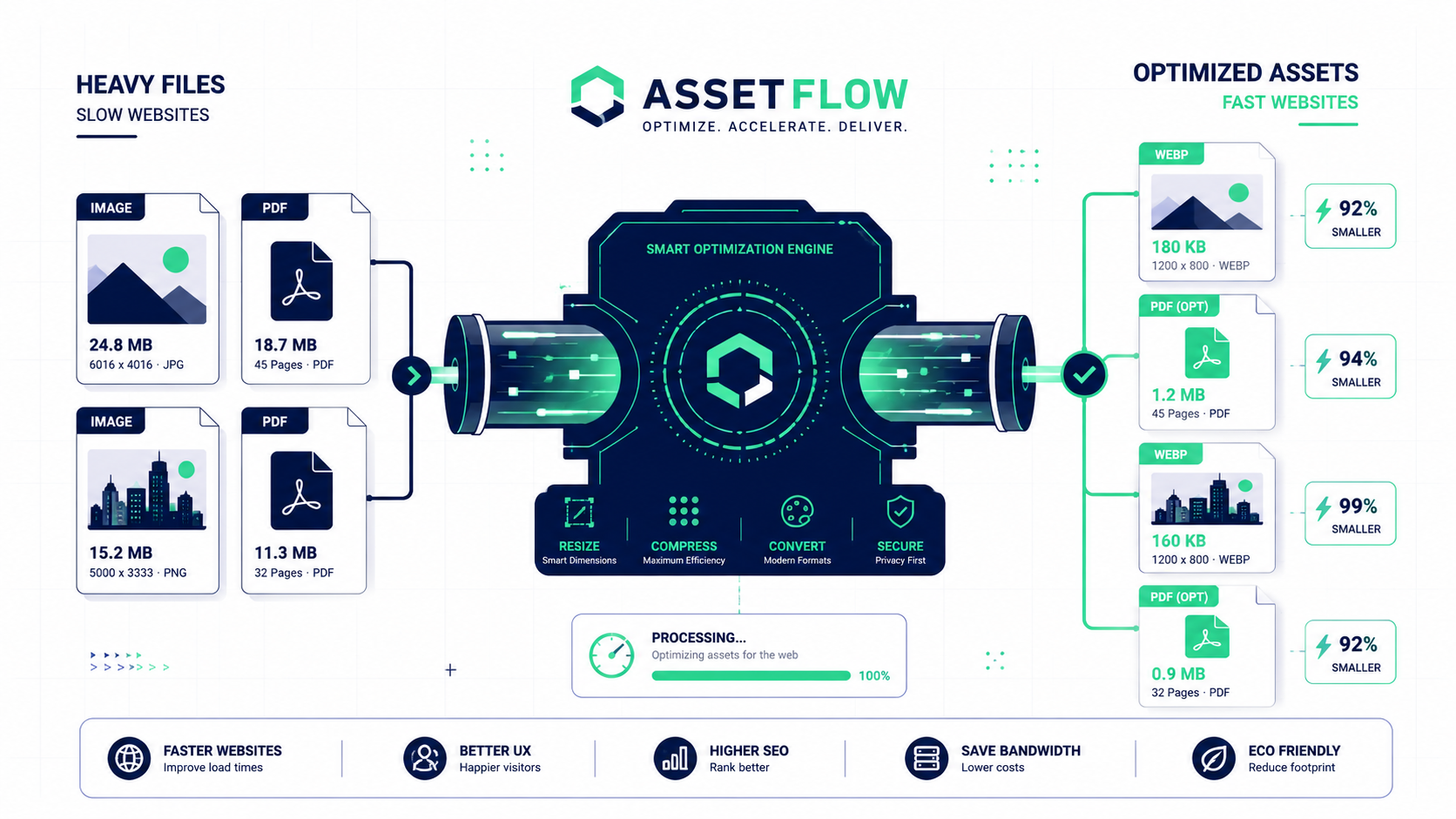
You now have a localized folder of perfectly shaped, 1200x1200px images. However, if these files are still standard JPEGs or PNGs, they are not fully optimized for modern web standards. The critical third step is modernization. Route your files through the Convert Image utility and select WEBP as your output format. Developed by Google specifically for the internet, the WEBP format provides significantly superior lossless and lossy compression algorithms compared to legacy formats. By converting your catalog to WEBP, you satisfy the strict criteria of Google's Core Web Vitals, which directly influences how high your product pages will rank in search engine results.
The final, crowning phase of the pipeline is weight reduction. Drop your newly converted WEBP files into the Compress Image utility. While the resize step reduced the sheer amount of pixels, this compression step focuses on the data behind the pixels. By applying a localized, medium-lossy compression algorithm, the tool surgically strips out invisible color depth data, heavy EXIF camera metadata, and unnecessary ICC color profiles. This process can drop a visually identical image from 1.2MB down to a staggering 80KB. Because this compression executes entirely within your local machine's memory, you can batch process hundreds of product images in seconds without waiting for a server upload queue. Your assets are now perfectly aligned, formatted for the modern web, and optimized for instant delivery.